Draw your experiment
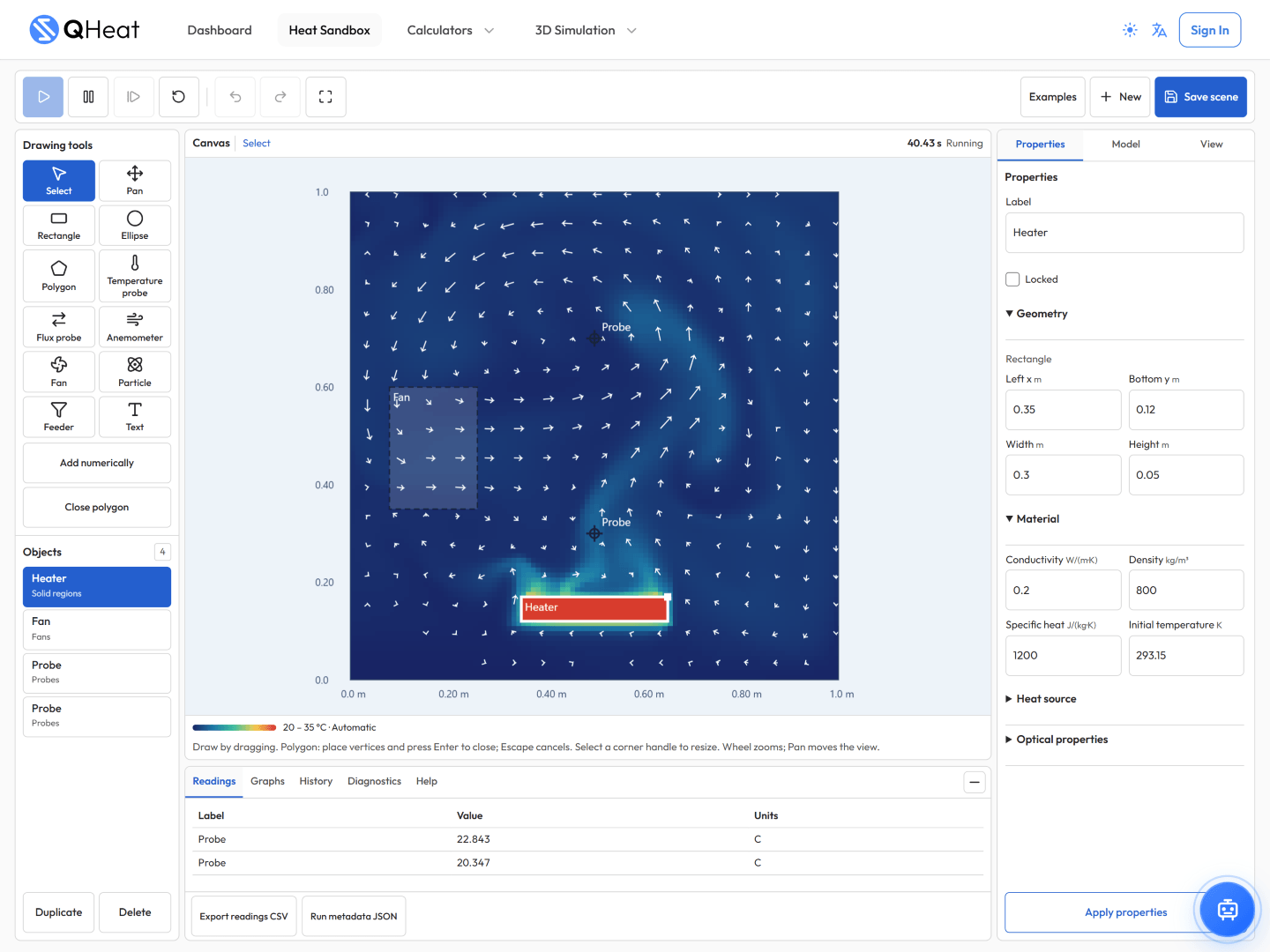
Build with rectangles, ellipses, and polygons. Edit properties, add annotations, and refine your scene with undo and redo.
Go from equations to experiments with QHeat. Solve heat transfer problems, explore thermal simulations, and build interactive scenes in the Heat Sandbox—all in your browser.
5
Focused calculators
3D
Thermal simulators
Heat
Physics Sandbox
Turn a heat transfer question into a visual experiment. Draw solid regions, set material properties, add heat sources and fans, then explore how heat, fluid motion, radiation, sunlight, and particles interact in two dimensions.
Start with an example or a blank canvas. Pause, step through the simulation, and adjust your scene to investigate a different setup.
Open Heat SandboxBuild with rectangles, ellipses, and polygons. Edit properties, add annotations, and refine your scene with undo and redo.
Explore conduction, natural and fan-driven convection, radiation, sunlight, and particle heat and momentum exchange.
Place temperature, heat flux, and airspeed sensors. Inspect readings, graphs, and flow visualizations as the scene evolves.
Open and save local scene files, export sensor readings as CSV, or sign in to store scenes in your account.
Choose a calculator for a focused problem, or explore how geometry, boundary conditions, and operating choices affect a simulation.
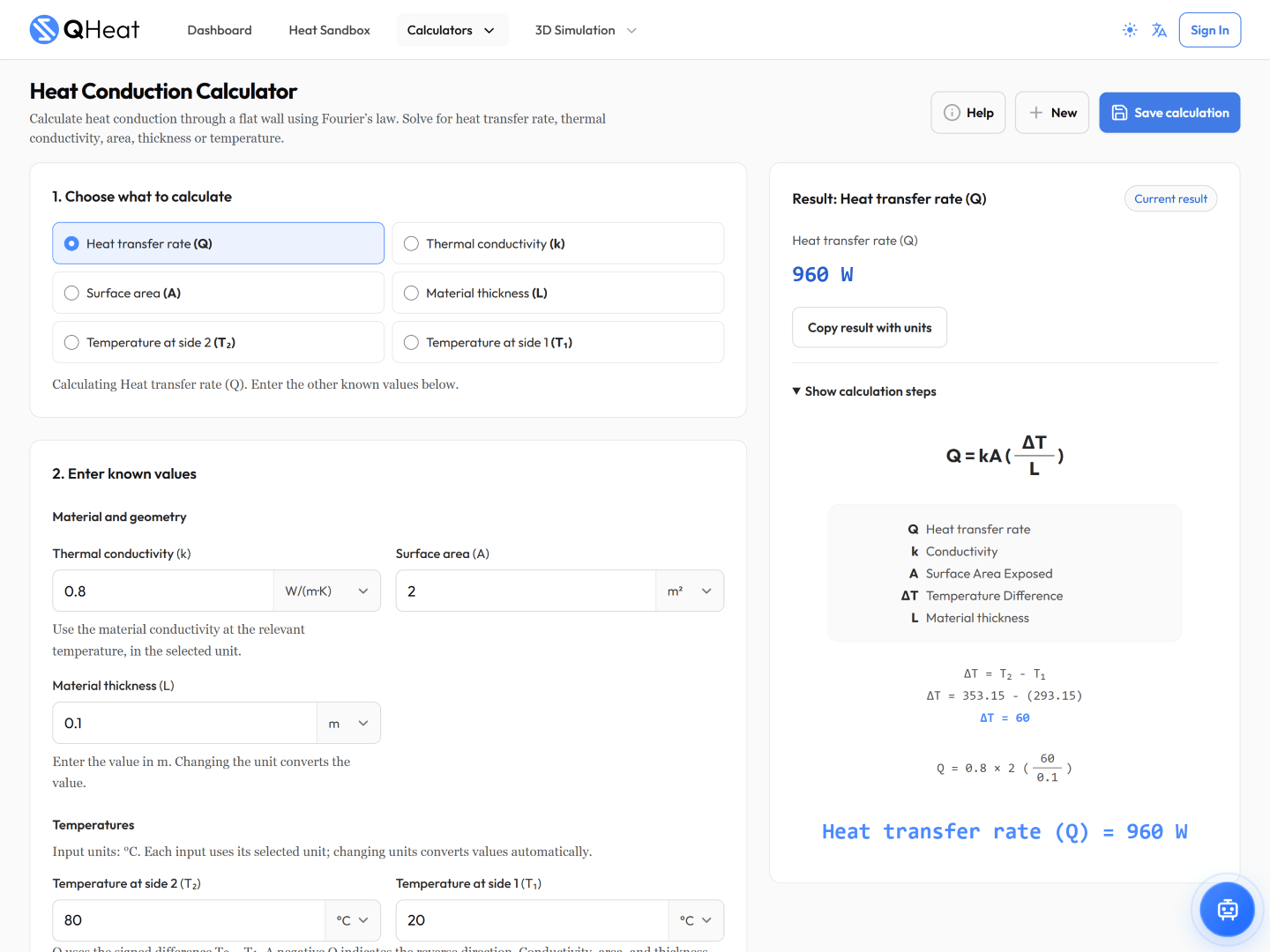
Fourier’s law
Calculate steady heat flow through a flat wall. Solve for heat transfer rate, conductivity, area, thickness, or temperature.
Open calculator

Newton’s law of cooling
Explore heat exchange between a surface and a fluid. Find the heat transfer rate, coefficient, area, or temperature.
Open calculator
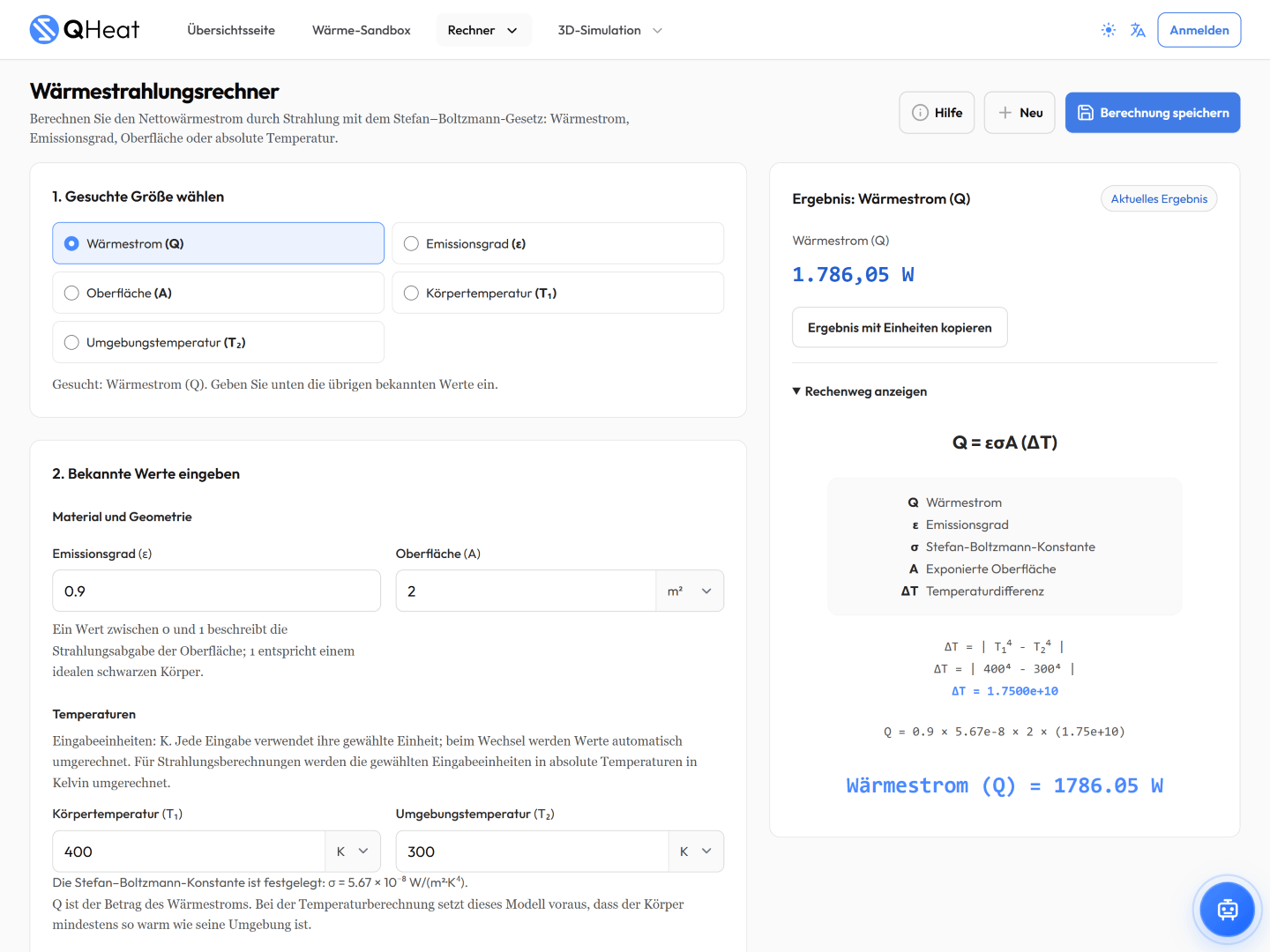
Stefan–Boltzmann law
Calculate net radiative heat transfer. Explore the relationship between emissivity, surface area, and absolute temperature.
Open calculator
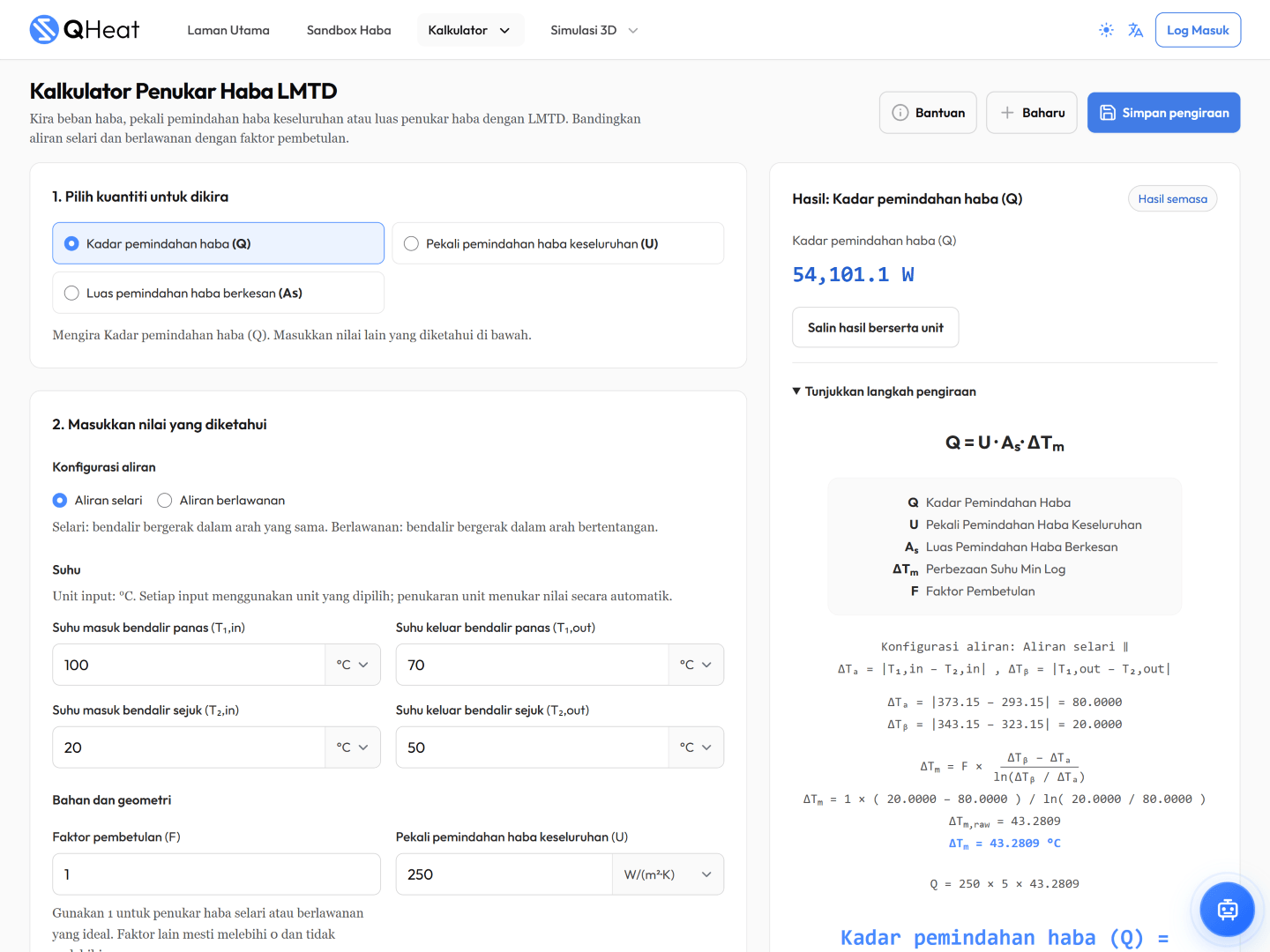
Heat exchangers
Use inlet and outlet temperatures to calculate heat duty, overall heat transfer coefficient, or area, with parallel and counter flow options.
Open calculator
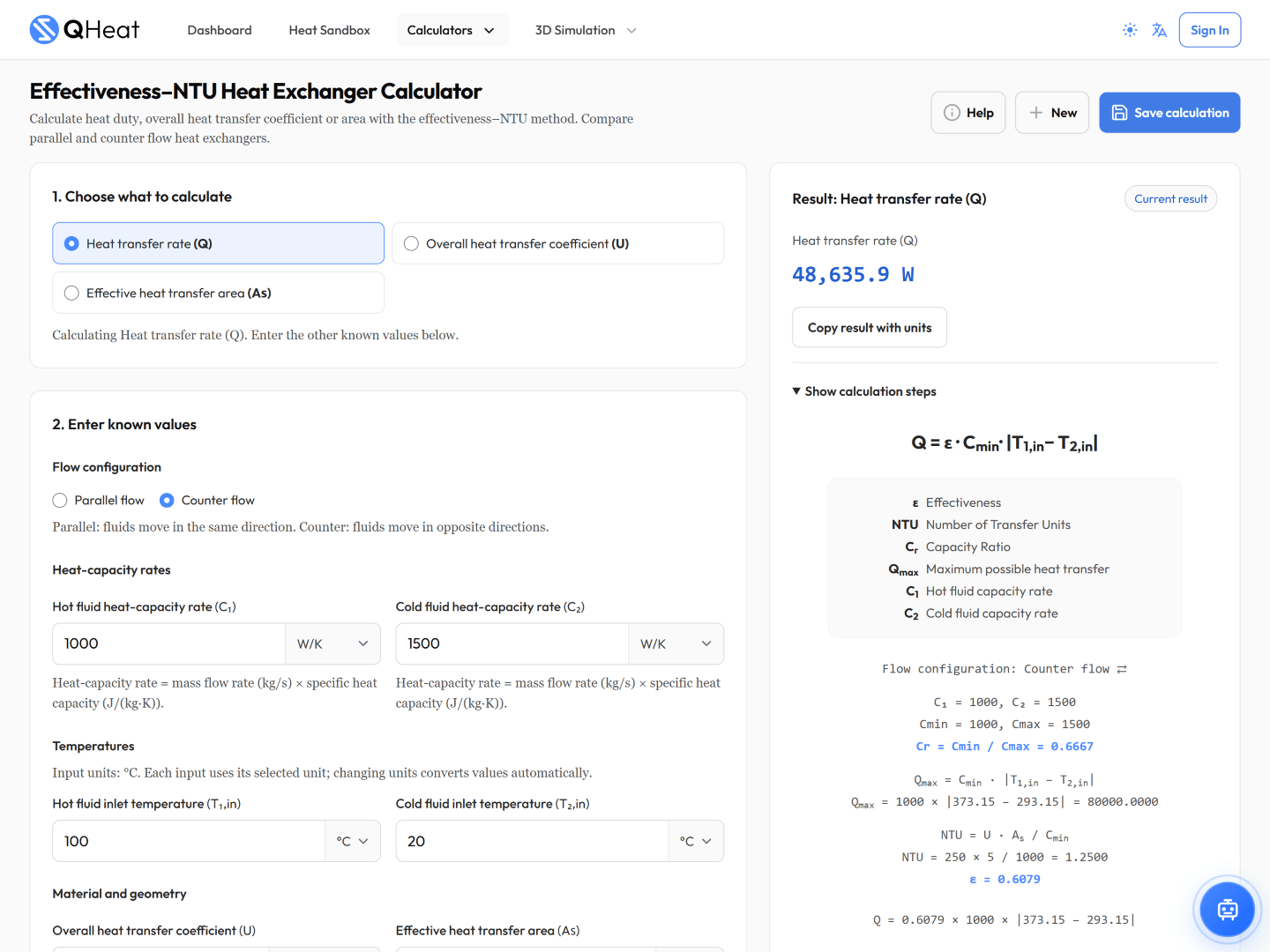
Heat exchangers
Work with inlet temperatures and heat capacity rates to solve for heat duty, overall heat transfer coefficient, or area.
Open calculator
Choose the variable you want to solve for, use example inputs to get started, and revisit the built-in Learn notes to understand the equations.
Geometry · Boundaries · Temperature
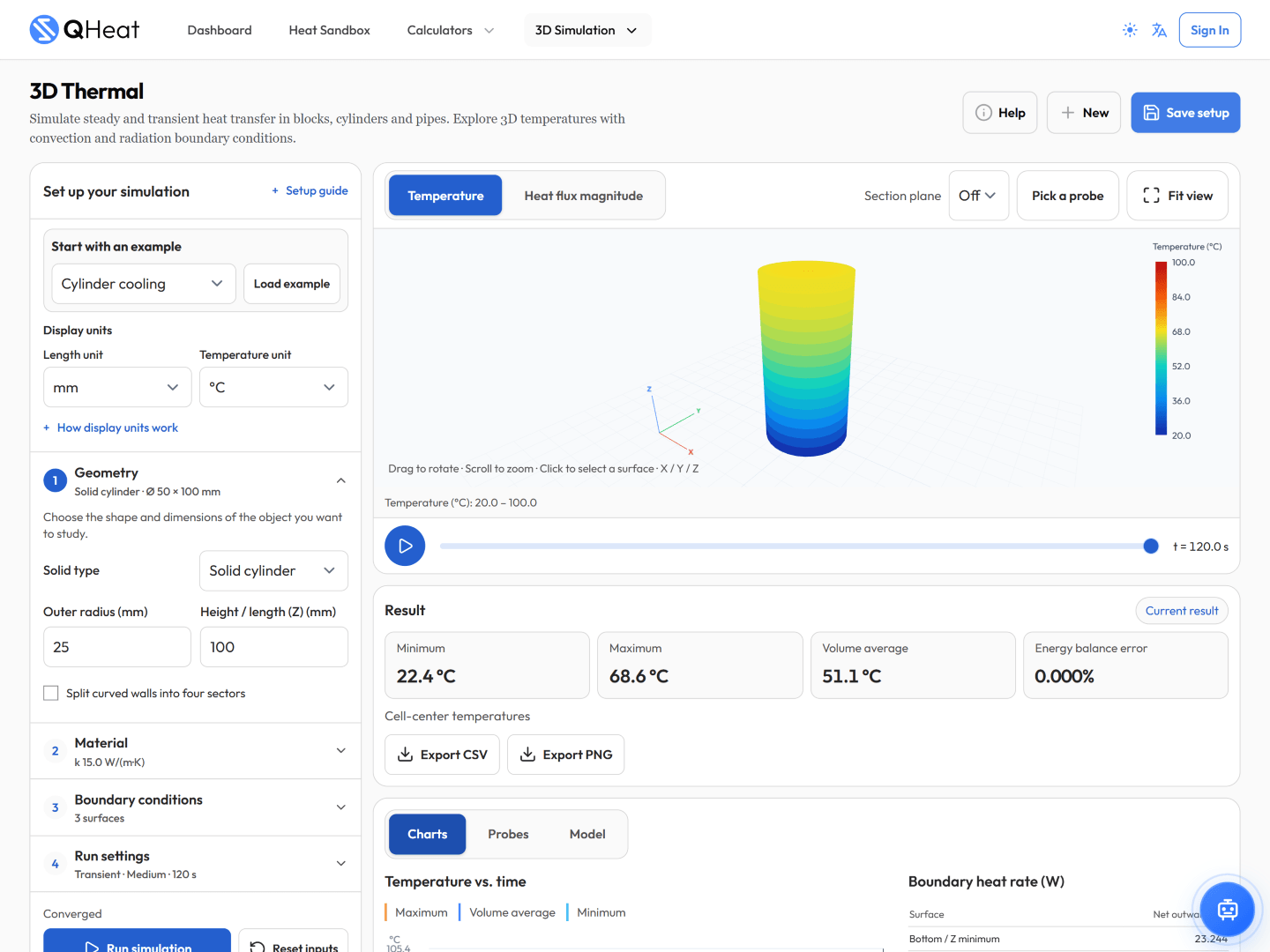
Explore steady and transient heat transfer in blocks, cylinders, and pipes.
Flow arrangement · Profiles · Heat duty
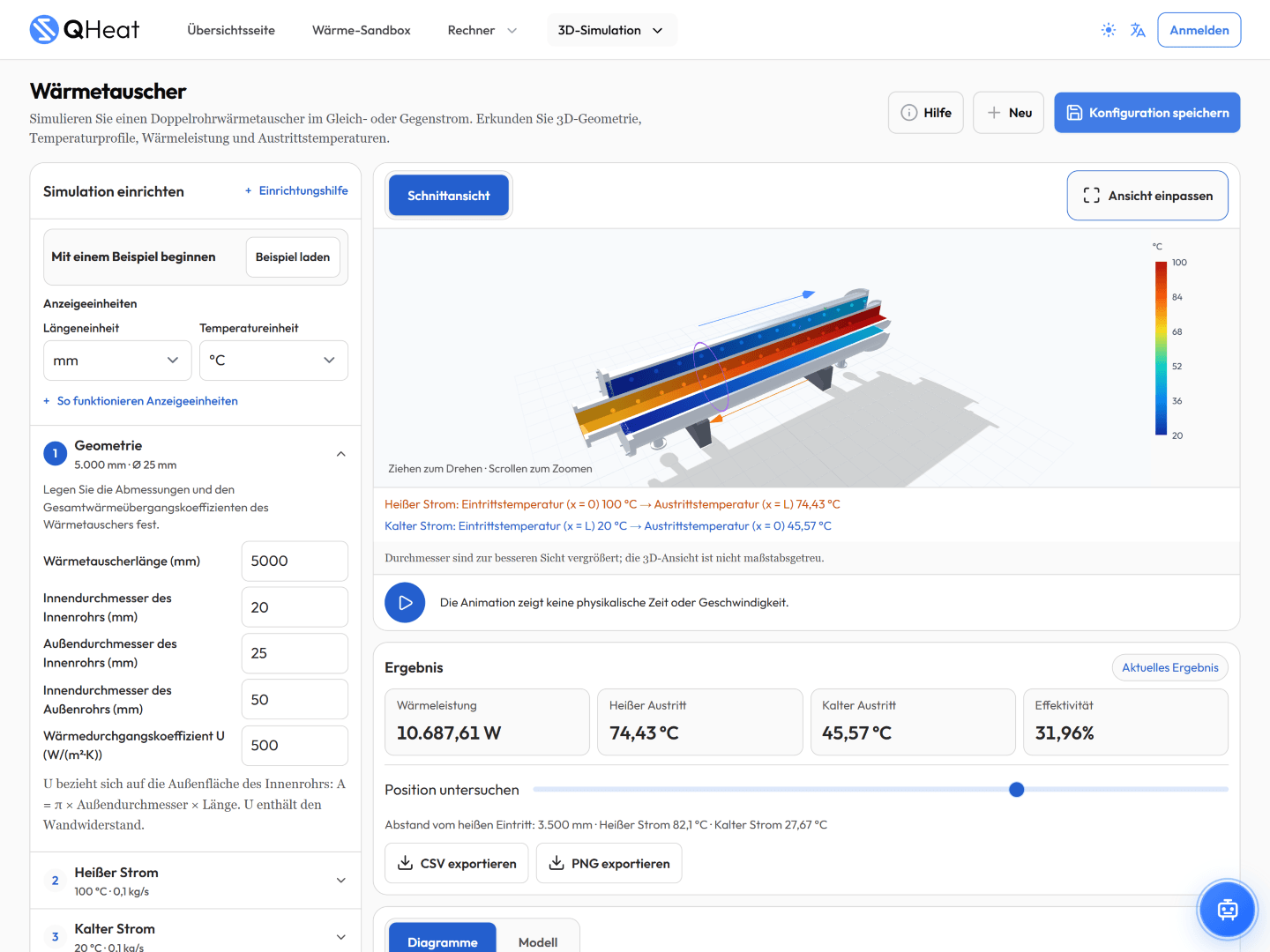
Investigate a concentric double-tube heat exchanger in parallel or counter flow.
Circuit · Strategy · Thermal response

Explore surface and carcass temperatures across all four wheels over a driving scenario.
Thermal presets are illustrative. This tool does not predict grip, wear, pressure, or lap times.
Explore Tyre Thermal ManagementMove between numerical answers, visual experiments, and the theory behind them.
Solve an unknown with a calculator, investigate a thermal model, or build your own 2D scene in the Sandbox.
Adjust inputs, materials, geometry, or operating conditions. Calculate or run again to see how the results respond.
Review theory and model notes, export supported simulation results, and save your work to revisit another time.
You can open the calculators, simulations, and Heat Sandbox as a guest. Sign in to save and reload work in your account.
QHeat runs in your web browser. Open the web app to access its calculators and interactive workspaces.
Save named calculations, simulation setups, and Sandbox scenes to your account.
QHeat supports English, Malay, German, and Japanese.
Start with your next question
Open a calculator, explore a simulation, or build your first Sandbox scene. Your next experiment starts in QHeat.
Open QHeat